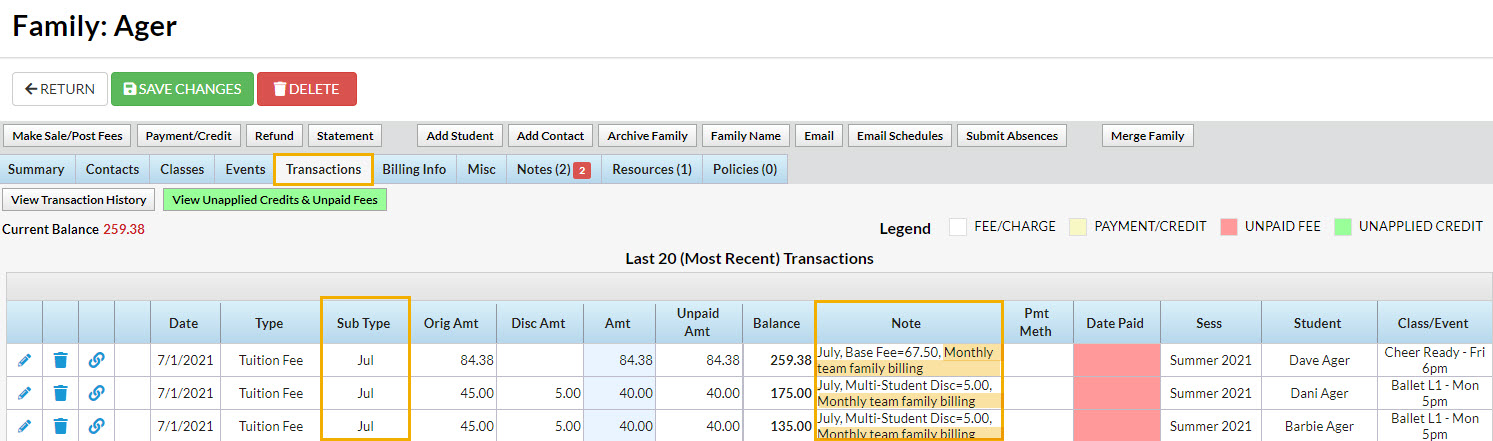
This section can be used to add a Transaction Subtype and Note to the tuition fees that are posted. The note added here will be visible in the Family record on the Transactions tab and can also be seen in the transaction history in the Parent Portal. The note is limited to 200 characters and will appear after the Jackrabbit system note with the Billing Cycle and any discounting/prorating details.
TIPS
- Transaction Subtypes are created in the Drop-down List Editor (Gear Icon > Settings > General > Drop-down Lists > Transaction Subtypes).
- When Post Later is used to schedule a tuition posting and the Billing Cycle you are posting for is Monthly, selecting one of the three-character abbreviations for the months will sync the Transaction Subtype to the Billing Cycle start date for all future postings.
Note: the three-character abbreviations must be used; if a different Subtype is used, future postings will be stamped with that Subtype and not the month.- Example:
You create a task for your monthly billing beginning with the Billing Cycle start date of 7/1/2021 and you select the Subtype Jul. The next time the task runs, for the August billing cycle, the transactions will be stamped with the Subtype Aug.
- Example:
- The Transaction Type Tuition cannot be changed.
